My Nagios Installation
This was my second attempt at building a custom docker image with a Dockerfile. The first was to create a customized centos image that had the basic tools I regularly use, rather than just the standard minimal install you get with the centos/centos:6 image.
FROM centos:6
MAINTAINER soops@ucla.edu
RUN yum update -y

#basic tools to make using docker livable
RUN yum install -y man wget git less netutils net-tools openssh-server openssh-clients initscripts sudo chkconfig tar

#replace systemctl to work around dbus issue
RUN git clone https://github.com/gdraheim/docker-systemctl-images.git
RUN cp docker-systemctl-images/files/docker/systemctl.py /bin/systemctl
This gave me a familiar environment, rather than use systemctl, which is a personal preference. It also allows me to get around the dbus error that happens when I try to start services. I need to understand this part a bit better, but another problem for another time.
I took the nagios-core installation instructions and put them into another Dockerfile:
FROM soops/centosbase
MAINTAINER soops@ucla.edu
from: https://support.nagios.com/kb/article/nagios-core-installing-nagios-core-from-source-96.html#CentOS
WORKDIR /root
RUN yum install -y gcc make unzip glibc glibc-common httpd php gd gd-devel perl postfix
RUN wget -O /root/nagioscore.tar.gz https://github.com/NagiosEnterprises/nagioscore/archive/nagios-4.4.1.tar.gz
RUN ls -al
RUN tar -zxvf /root/nagioscore.tar.gz
WORKDIR /root/nagioscore-nagios-4.4.1
RUN ./configure
RUN make all
RUN make install-groups-users
RUN usermod -a -G nagios apache
RUN make install
RUN make install-daemoninit
RUN chkconfig --level 2345 httpd on
RUN make install-commandmode
RUN make install-config
RUN make install-webconf
adds nagiosadmin:password
RUN echo "nagiosadmin:\$apr1\$k.dy5xrT\$QUbNRLhX01U4tTvt6r8hd1" > /usr/local/nagios/etc/htpasswd.users
these are not working, add service start commands to docker run command?
CMD systemctl restart httpd &
CMD systemctl restart nagios &
plugin installation
WORKDIR /tmp
RUN yum install -y gcc glibc glibc-common make gettext automake autoconf wget openssl-devel net-snmp net-snmp-utils epel-release
RUN yum install -y perl-Net-SNMP
adding dev tools because "no gnu make" error
RUN yum group install "Development Tools"
RUN yum install -y which
RUN wget --no-check-certificate -O nagios-plugins.tar.gz https://github.com/nagios-plugins/nagios-plugins/archive/release-2.2.1.tar.gz
RUN tar zxf nagios-plugins.tar.gz
RUN cd /tmp/nagios-plugins-release-2.2.1/
WORKDIR /tmp/nagios-plugins-release-2.2.1
RUN ./tools/setup
RUN ./configure
RUN make
RUN make install
RUN systemctl start httpd &
RUN systemctl start nagios &
EXPOSE 80
The service httpd start and systemctl start httpd commands don't work, I think I'll add the start directives at the end of the docker run command and see if that works better.
It was easier to set a default password for nagiosadmin than figure how to run the password command without being interactive, will have to come back to that one.
I created a local folder and copied out the /usr/local/nagios/etc/ contents into it. Now I can run my container and change the nagios configs without having to rebuild my container. At present, I still have to run it interactively so I can restart the httpd and nagios services when I make changes, but getting closer to a complete solution.
I did also try this image out on my Raspberry Pi cluster, which taught me a valuable lesson: images need to be compiled on the architecture on which they run. You can't just pull an image compiled on a linux or Windows system and expect it to run on a Pi. The great thing about having all the docker files in github meant it was easy to pull the repo down to the Pi, build new images with an rpi- prefix, and then run them on the cluster. Very cool.
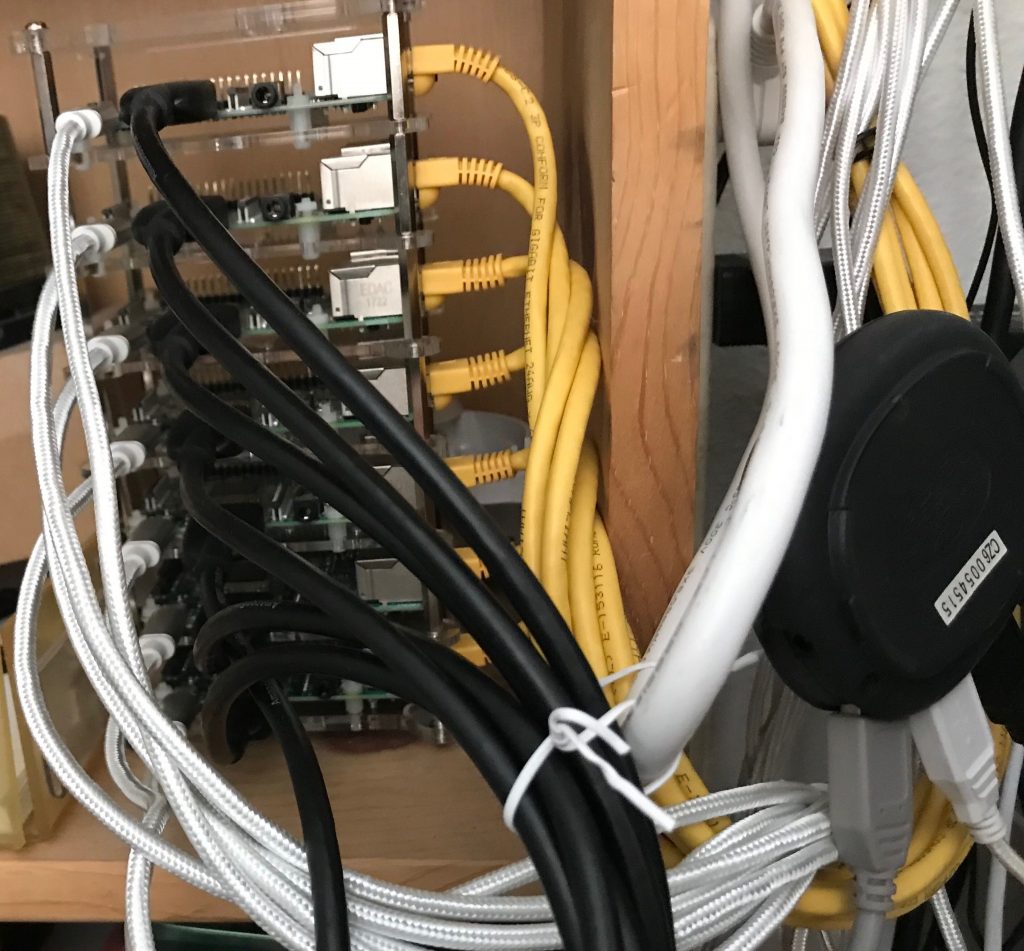
Still have to figure out how to pull the nagios.cfg and the .htaccess file from my local system to the container (COPY directive), but that should be pretty easy.
Next: My Terraform Scripts